
What Is ERP and How Does It Work in Discrete Manufacturing?
ERP connects a discrete manufacturer through shared operational data
ERP, or enterprise resource planning, is integrated business software that manages core processes and resources through a shared database. Finance, purchasing, inventory, sales, production, and other functions can work with the same current operational data instead of maintaining entirely separate records. The central purpose is coordination: information entered or updated in one part of the business can be available to other connected functions.
For a discrete manufacturer, that purpose matters because an assembled product moves through several connected activities. A customer order may need to inform production planning, inventory checks, purchasing activity, shop-floor work, shipment, and financial management. ERP does not turn every activity into one identical process, but it can place the related records and workflows in a shared business environment.
Shared ERP data gives you a way to follow an order across departmental boundaries. Centralized manufacturing data can connect manufacturing, inventory, procurement, warehouse, and production-scheduling information. That connection is the practical meaning behind ERP in a discrete-manufacturing setting.
The relevant question is not whether a business uses the ERP label. The useful question is whether your operations need related information to move more consistently between the activities that plan, buy, make, store, ship, and account for assembled products.
What ERP brings together across the business
ERP brings together business functions through integrated software and shared data. Typical areas include finance, accounting, procurement, supply chain operations, inventory, order management, production, human resources, and project management. The exact group of functions depends on the system and the business, but the shared-data principle remains central.
For a discrete manufacturer, the connected areas commonly include:
- Customer orders and sales: the commercial demand that starts or changes a fulfillment process.
- Production planning: the work needed to organize production activity around orders and available resources.
- Inventory: records of materials, components, work in progress, and completed products.
- Procurement: purchasing activity tied to material and supply requirements.
- Production operations: the work involved in turning components and materials into assembled products.
- Finance and accounting: financial management and accounting activity associated with business operations.
- Warehouse and shipment activity: the movement of materials and finished products through the business.
ERP does not require every function to use the same screen or perform the same task. It connects their relevant records and processes so that information can be shared across the business.
Shared data changes the question each department can answer. Instead of asking only what is recorded inside one function, you can examine how an order relates to inventory, purchasing, production, and finance. ERP integration can reduce duplicate data entry and support visibility and coordination across functions.
That does not mean every ERP environment contains every possible function. ERP platforms vary by business requirements, industry, company size, and operating model. A small assembled-products manufacturer may need a different functional scope from a larger manufacturer with multiple locations or more complex production requirements. Treat the connected functions above as a map of ERP’s general role, not as a promise that every system includes the same capabilities.
Follow one customer order into production planning
A hypothetical customer order shows how ERP can connect information without requiring you to begin with a vendor or a product comparison. Imagine an order for an assembled industrial control unit, an aerospace subassembly, an automotive component, or a medical-device assembly. The order establishes demand for a product, and the connected ERP environment can carry that demand into the activities needed to plan and fulfill it.
The order-management record is not useful only to sales. Manufacturing ERP production planning connects production schedules with customer orders, inventory, financial planning, and supply chain operations. That connection gives planning a broader context than a schedule maintained without reference to the rest of the business.
Production planning uses the order as one input into a coordinated sequence. You can examine the requested product, relate it to a production schedule, and then consider the inventory, purchasing, warehouse, and supply-chain information that affects the work. The precise planning rules depend on the business and the system, so ERP should be understood as the connected environment rather than as one universal planning method.
A practical order trace begins with these questions:
- Where is the customer demand recorded?
- How does that information become part of production planning?
- Which inventory and purchasing records are connected to the planned work?
- How will production status relate back to the order?
- Which operational records will finance and accounting need?
The answers show whether your current processes treat the order as a connected business transaction or as a series of separate departmental records.
Production planning remains a business-specific activity. ERP requirements vary by industry and operating model, and deployment choices may be cloud-based, on premises, or combined. Use the order trace to understand the information relationships first; leave system-specific configuration and suitability questions for a later evaluation.
Connect material requirements with purchasing and inventory
Material planning connects the planned product with the inventory and purchasing information needed to support it. In the order example, planning can bring production schedules into the same connected view as inventory management, supply chain operations, and customer orders. The purpose is not to assume that materials are available; it is to make the relevant records part of the same planning conversation.
For an assembled product, you may need to examine whether the business can relate:
- the customer order to the planned production activity;
- the planned activity to required materials or components;
- available inventory to those requirements;
- purchasing activity to supplies that are not available; and
- incoming materials to warehouse and production records.
ERP software can manage supply chain operations, inventory, and production planning through an integrated platform. The value of the connection is that each activity has context from the others.
This connected view does not by itself establish that materials are available. That gives you a practical way to trace where a material-related question belongs. A shortage may require an inventory view, a purchasing action, a schedule review, or a combination of these activities; the connected record helps define the handoff.
This flow also explains why ERP is broader than a stand-alone inventory record. Inventory answers what is recorded as available or in progress. The broader ERP environment relates that information to orders, production schedules, procurement, supply-chain operations, and financial management. The exact transaction rules and planning logic still depend on the system and the manufacturer’s operating model.
Carry planned work through production and shipment
Production execution carries the planned work into the activities that make and move an assembled product. ERP can connect production information with inventory, procurement, warehouse records, and scheduling information, while manufacturing software categories may cover different parts of the production process. The connected view lets you ask how work status relates to the order and to the material records that support it.
Real-time production monitoring involves reviewing operational activity as production conditions change. Production visibility may be assessed with measures such as:
- throughput;
- equipment uptime;
- work-in-progress inventory;
- production cycle time;
- scrap and rework;
- labor utilization;
- order completion; and
- supplier delivery performance.
These measures are examples of information you may use to understand production activity. They are not a universal scorecard, and you do not need every measure for every operation.
Shipment completes another part of the order flow. Manufacturing software categories can support different aspects of management from supply chain activity through product delivery. Manufacturing ERP production planning connects production schedules with customer orders and supply-chain operations. In a connected process, you can trace the relationship between planned work, available product, and the order that created the demand.
Shared data can show the relationship among activities, but it does not by itself prove that a schedule is feasible, that inventory records are accurate, or that production will meet a particular date. Those conditions remain matters for the business process and the system evaluation.
Connect operational transactions to financial management
Financial management gives the order trace a business-wide dimension. ERP platforms can cover financial management alongside supply chain and inventory management, and ERP software can manage accounting, procurement, supply chain operations, and production planning through an integrated platform. Finance therefore sits within the same general business environment as the operational activities that create demand and consume materials.
In the hypothetical order, operational records can provide context for the financial side of the transaction. The order relates to production planning; production planning relates to inventory and purchasing; and those activities relate to accounting and financial management. This connection helps you examine the order as a business transaction rather than as a production record isolated from finance.
ERP is broader than accounting software because it extends into inventory, production planning, purchasing, and order management. Accounting remains a distinct responsibility, but its records can sit alongside the operational records that explain the activity being accounted for.
A useful review asks where each financial handoff occurs:
- Where is the customer order recorded?
- Which operational activity represents the work associated with it?
- How are purchasing and inventory records related to that work?
- Which accounting or financial-management record represents the resulting business activity?
The answers help you see whether finance receives context from operations or must reconstruct it from separate records. ERP provides an integrated platform for these areas; it does not remove the need for defined processes, accurate data, or appropriate accounting practices.
Separate ERP’s broad role from specialized manufacturing capabilities
ERP, MRP, and MES are different manufacturing software categories with different roles, although they may work together across the supply chain and production process. ERP has a broad business-management role that can connect finance, inventory, procurement, orders, production planning, and other functions. MRP and MES address different aspects of manufacturing management, so the labels should not be treated as interchangeable.
This distinction matters when you describe the order flow. ERP provides the wider business context. A specialized planning or execution capability may address a particular manufacturing activity in more detail. Whether those functions are separate applications, integrated modules, or part of a broader platform depends on the system and operating model.
Manufacturing-specific ERP systems may include advanced planning and scheduling, finite-capacity planning, lot and serial traceability, and quality management as embedded capabilities. Those capabilities can be relevant when your production environment needs more than general order, inventory, purchasing, and financial coordination.
The qualifier matters: manufacturing-specific ERP systems may include these capabilities, but the presence, depth, and configuration of a capability can vary. Treat each capability as a question for later evaluation rather than as an automatic feature of ERP. For now, separate the broad role from the specialized requirement you may need to examine.
Your next step is to name the manufacturing activities that matter in your operation before attaching them to a software category. List the planning, execution, traceability, quality, inventory, and order relationships you need to understand. Then distinguish the general ERP connection from the specialized manufacturing capability that would require its own evaluation.
Shared data does not make every ERP system equivalent
ERP systems are not equivalent simply because they use shared data. ERP requirements and deployment choices vary by business, industry, and operating model. Environments may be cloud-based, on premises, or combined, and a manufacturer’s needs can differ according to its products, processes, locations, and connected functions.
That variation changes how you interpret a general ERP explanation. The shared-data concept is common, but the functions included, the manufacturing capabilities available, and the way information moves through the system require separate questions. A platform that connects accounting and inventory may not address the same production-planning or traceability requirements as a manufacturing-specific environment.
Cloud ERP can integrate with other systems, IoT platforms, analytics tools, AI capabilities, and external partners. If your operation depends on information outside the ERP environment, identify the systems, data, and handoffs that would need to connect.
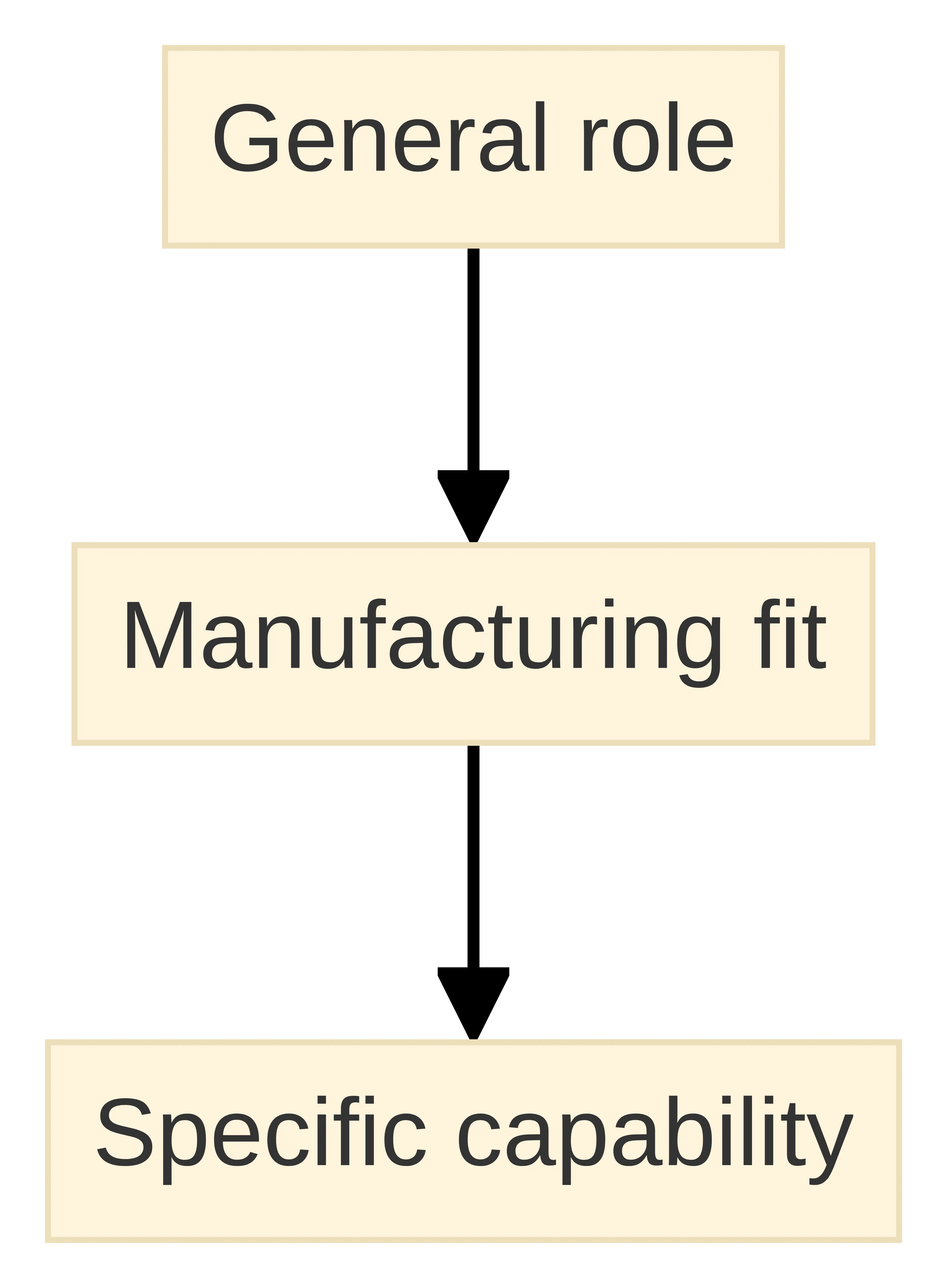
Use three layers when you assess relevance:
- General role: Does the environment connect core business functions through shared data?
- Manufacturing fit: Does it represent the production, inventory, purchasing, order, and financial relationships that matter to your operation?
- Specific capability: Does it include or connect the specialized planning, execution, traceability, or quality functions you need to investigate?
This layered view prevents the word ERP from carrying more meaning than the system or business context supports.
Signals that ERP may warrant further evaluation
Further ERP evaluation may be relevant when your business needs a clearer connection among orders, materials, purchasing, production, inventory, shipment, and financial management. That is a decision signal, not a diagnosis or a recommendation to purchase.
Look for practical conditions such as these:
- Order information must be transferred repeatedly between sales, planning, production, inventory, and finance.
- You need to relate production schedules to customer orders, inventory, purchasing, and supply-chain activity.
- Teams need to review production activity as conditions change rather than rely only on delayed or isolated records.
- Work-in-progress, cycle time, scrap and rework, order completion, or supplier delivery information is difficult to view in relation to production.
- Finance and operations need a clearer relationship between operational activity and accounting or financial-management records.
- You need to determine whether manufacturing-specific capabilities such as finite-capacity planning, lot and serial traceability, or quality management belong in the system requirements.
Each signal points to a question to investigate. None establishes that ERP is suitable for your business by itself.
A short order map can turn those signals into a concrete starting point. Choose one representative assembled-product order and record the handoffs in sequence:
- customer demand;
- production planning;
- material and inventory review;
- purchasing or supply-chain activity;
- production and work-in-progress status;
- warehouse and shipment activity; and
- accounting or financial management.
Mark where information is shared, re-entered, delayed, or difficult to relate to the order. The map does not measure whether your business is ready for an ERP project. It gives you a specific process to discuss if the connections appear important enough to warrant further evaluation.
Your operating model should determine the questions you ask next. A discrete manufacturer with assembled products may need to examine a different combination of functions and deployment choices from another business. Keep the evaluation tied to your actual order, material, production, inventory, shipment, and finance relationships rather than assuming that a general ERP description answers the fit question.
Decide whether an ERP conversation is worthwhile
ERP is integrated business software that connects core functions through shared data. In discrete manufacturing, its practical role is to relate an order to the planning, materials, purchasing, production, inventory, shipment, and financial activities that support assembled products. ERP can provide the connected structure for that flow, while the specific capabilities and deployment model still depend on the business and system.
Use one representative order to decide whether the subject deserves more attention. If the order crosses several disconnected records, if production and inventory information is difficult to relate to demand, or if operations and finance need a clearer shared context, further evaluation may be worthwhile. If the order already has the visibility and handoffs your business needs, you may have less reason to pursue the question now.
Write down the order path, the information each function needs, and the points where you need a clearer connection. A qualified ERP professional should determine individual suitability after considering your business processes, requirements, and operating conditions.
Bring that order map and your unanswered process questions into the next discussion. Focus on the handoffs that affect your operation rather than on the ERP label alone.
What should an operations manager clarify before discussing ERP?
What is ERP and how does it work in discrete manufacturing?
ERP, or Enterprise Resource Planning, is integrated business software that manages core processes and resources through a shared database. In discrete manufacturing, it connects functions like finance, inventory, production, and procurement, allowing for coordinated workflows and real-time data sharing.
How does ERP connect different departments within a manufacturing business?
ERP connects departments by providing a unified platform where data can be shared across functions. This integration reduces duplication of data entry and enhances visibility and coordination, allowing for more efficient decision-making.
What signals might indicate that a manufacturing business should evaluate ERP further?
Signs that further ERP evaluation may be relevant include repeated data transfers between departments, difficulty in relating production schedules to customer orders, and challenges in accessing real-time production metrics.
How does ERP differ from specialized manufacturing systems like MRP and MES?
ERP has a broader business-management role that connects various functions across the organization, while MRP (Materials Resource Planning) and MES (Manufacturing Execution Systems) focus on specific aspects of manufacturing management.
What practical steps can a manufacturer take to assess their need for ERP?
Manufacturers can map a representative order process, identifying handoffs between departments and where information is shared or duplicated. This helps clarify whether an ERP system could improve operational efficiency.
What are the deployment options for ERP systems in manufacturing?
ERP systems can be deployed in various ways, including cloud-based, on-premises, or hybrid models. The choice depends on the specific needs and operational model of the manufacturing business.
Keep reading
Related articles
Free account
Create A Free Account
Get the clarity you need to make confident ERP decisions — without the sales pressure.
- Read every article (past & future)
- Compare ERP systems side by side
- Access exclusive guides, checklists, and cost breakdowns
- Stay current on industry updates and trends
Get expert guidance at no cost
Rather talk to a specialist?
Book a free call with one of our ERP specialists for a no-obligation needs assessment. We'll help you understand your options, cut through the noise, and figure out what actually makes sense for your business — before you ever talk to a vendor.
Book A Free Call